
Oregon, mapped
Every hike, swimming hole, restaurant, viewpoint, and stop worth pulling over for. Pinned, sorted, and explorable — start anywhere, plan around it.
Every spot, pinned
Hikes, swimming holes, restaurants, viewpoints, fire lookouts, and stops worth pulling over for — all marked. Zoom in, click a pin for the full guide, plan your trip around clusters.
Tip: Click the menu icon (top-left of the map) to toggle pin layers, or the full-screen icon (top-right) to expand. Open in Google Maps to save the map to your account and use it for turn-by-turn directions on your phone.
Mapped by interest
Six specialty maps for deeper dives — lakes for swims, falls for chases, volcanoes for the geology, wildflowers for the spring drive. Pick the thread that matches your trip.

Map of Lakes in Oregon
130+ lakes for fishing, swimming, and camping — alpine tarns to Cascade reservoirs.
Open the map
Oregon Fishing Map & Guide
Zones, species, and regulations across the state. Where the fish are, by season.
Open the map
Oregon Wildflower Bloom Map
126+ locations from coast to high desert, sorted by peak bloom window.
Open the map
Oregon Swimming Holes Map
Cold deep pools, hidden coves, and the local spots worth the hike in.
Open the map
Oregon Waterfalls Map
Every named falls plus top-rated picks. From Multnomah to the small ones only locals know.
Open the map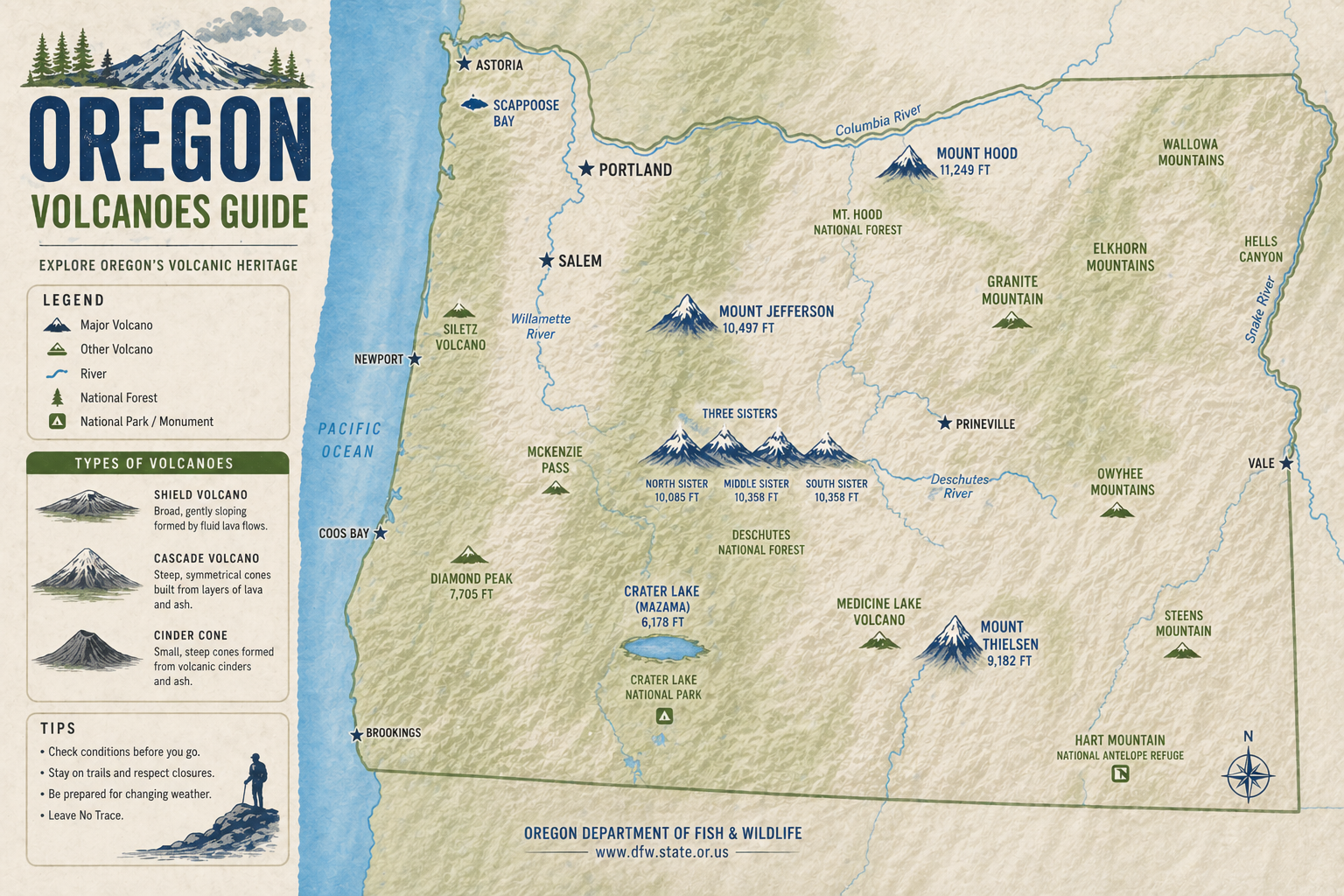
Oregon Volcanoes
54 named peaks, 2 still active. From Mt. Hood to the Crater Lake caldera.
Open the map